
We added numbers to Plezha. So why are they all switched off?
Anastasiya, Plezha’s founder — on a decision that started with “never”.
When I started Plezha, I was sure we would never show nutrition numbers in the app. No calories. No macros. Plezha is about enjoying good food when a dietitian has already done the maths for you — all you have to do is pick the dish that looks good.
Today the app has 10 nutrition metrics. All of them are off by default. Here’s how that happened.
When “never” stopped making sense
People asked for numbers. Not most of them — but the ones who asked had good reasons.
Someone with diabetes needs to know which dishes are right for them. An athlete in the middle of training wants to know how much protein they’re getting. A vegetarian wants to know if she gets enough protein without meat. Someone with a sensitive stomach wants to know how much fibre is on the plate.
Without numbers, these people couldn’t really use Plezha. And I had to admit something to myself.
By leaving numbers out, I was protecting an idea — not the people using Plezha.
I thought Vera Kasianovich, dietitian at Plezha, would ask for more metrics. She asked for fewer.
Vera holds a bachelor’s degree and is currently doing her master’s at the Warsaw Medical University. She checks every Plezha recipe before it goes into the app.
“If you don’t have a specific medical condition, you don’t need to count anything. Plezha recipes are already balanced. But if you have diabetes and need to know the bread units, you need that number. It makes daily control easier, not harder.”
That was the answer. Not “add numbers”. Not “don’t”. Add them only where people really need them.
Further down, Vera explains why any number should only ever be a guide.
10 metrics
How we chose them matters more than the list itself.
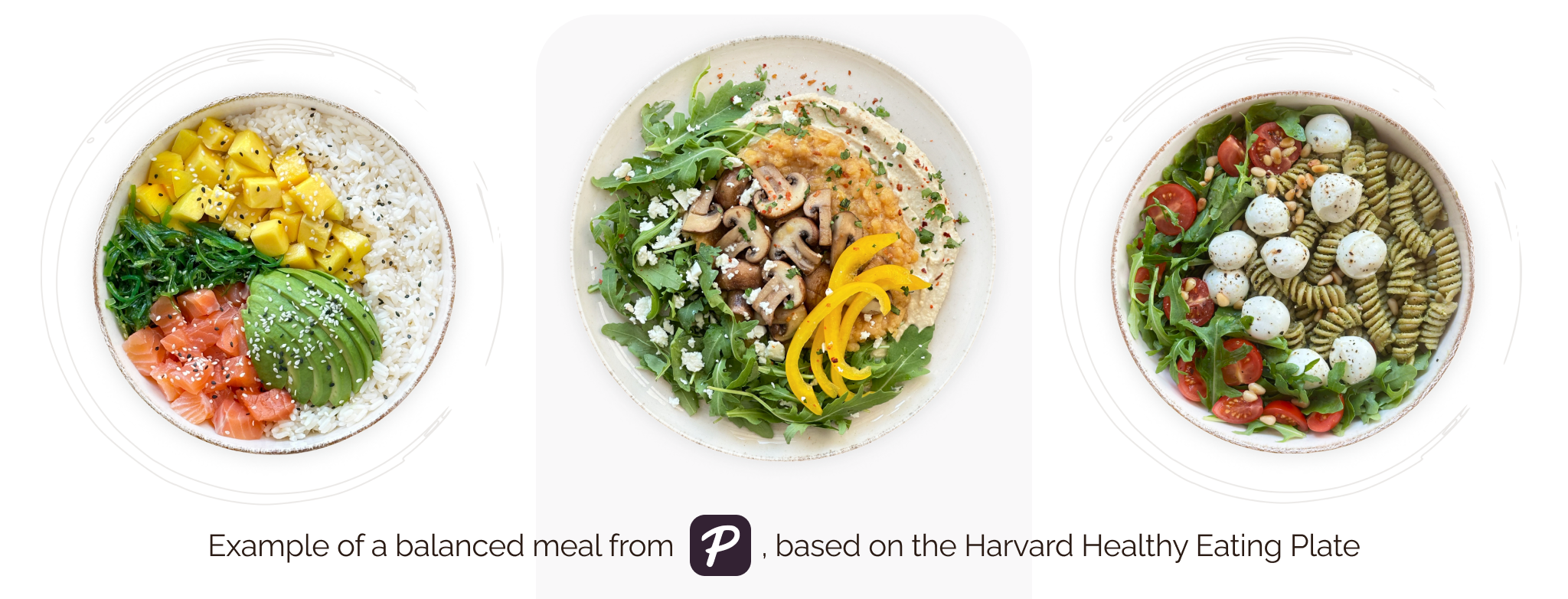
What’s on the plate — protein, fibre, carbs, and fat. These are the ideas behind the Harvard Healthy Eating Plate, shown in grams. They tell you how balanced a dish is. For most people, that’s all they need. For a closer look, see why healthy eating has no secrets.
Energy — calories, sugar, saturated fat, and salt. For people with a specific goal or advice from their doctor: training, blood pressure, weight. They’re there as a guide. You don’t have to track them.
Clinical — glycaemic index and bread units. For people with diabetes, insulin resistance, or other metabolic conditions. In the app they have an info icon next to them — they’re meant for people who use them every day.
What we left out
Iron. Omega-3. Vitamin D.
“The micronutrients in one dish don’t tell you much. Without knowing your whole diet, your test results, and your health, a number like that is more likely to confuse you than help. If you’re worried about iron or vitamins, talk to a specialist. A recipe can’t answer that.”
Plezha can’t do that job for you, and we won’t pretend it can.
A dietitian on numbers
“In my clinical work, I use calculations all the time. I work out how much energy a person needs, and how much protein, fat, carbs, and fibre. These are useful tools. They help me build a diet and adjust it when needed.
But a calculation is a guide. It’s not a number you have to hit every day.
What your body needs changes from day to day. It depends on how active you are, how you sleep, stress, the weather, and your health. Your food changes too: portion sizes, ingredients, how it’s cooked. Food is part of life. Some days you have time to cook a proper lunch. Other days — work, a commute, a meeting. Sometimes you travel, sleep badly, get ill, or go through a stressful time, and your eating changes with it.
So small ups and downs are a normal part of eating. What matters is the bigger picture — how your eating looks over weeks, not one meal or one day.
Sometimes counting starts out helpful and turns into too much control. You notice it when going over or under a number makes you anxious or guilty. In my work, I look not only at what a person eats, but also at how they feel about food. When the wish to eat “right” becomes rigid and leaves no room for flexibility, it can be a sign of orthorexic tendencies — an unhealthy focus on eating correctly.
My job is to help people eat well, and also to make sure their eating can fit around real life without stress. Numbers can be a useful guide. They shouldn’t make you anxious, guilty, or feel you have to control every gram.
Healthy eating isn’t about hitting exact numbers every day. It’s about giving your body what it needs over the long run.”
Why everything is off by default
Most apps turn everything on and let you switch off what you don’t need. That makes sense: hardly anyone opens the settings, so it’s safer to show everything from day one.
We did the opposite. Numbers you didn’t ask for turn a cookbook into a tracker. And Plezha isn’t a tracker.
The numbers you see are about one dish only. Open a recipe, check what you need, close it. No food diary. No daily targets. No red warnings.
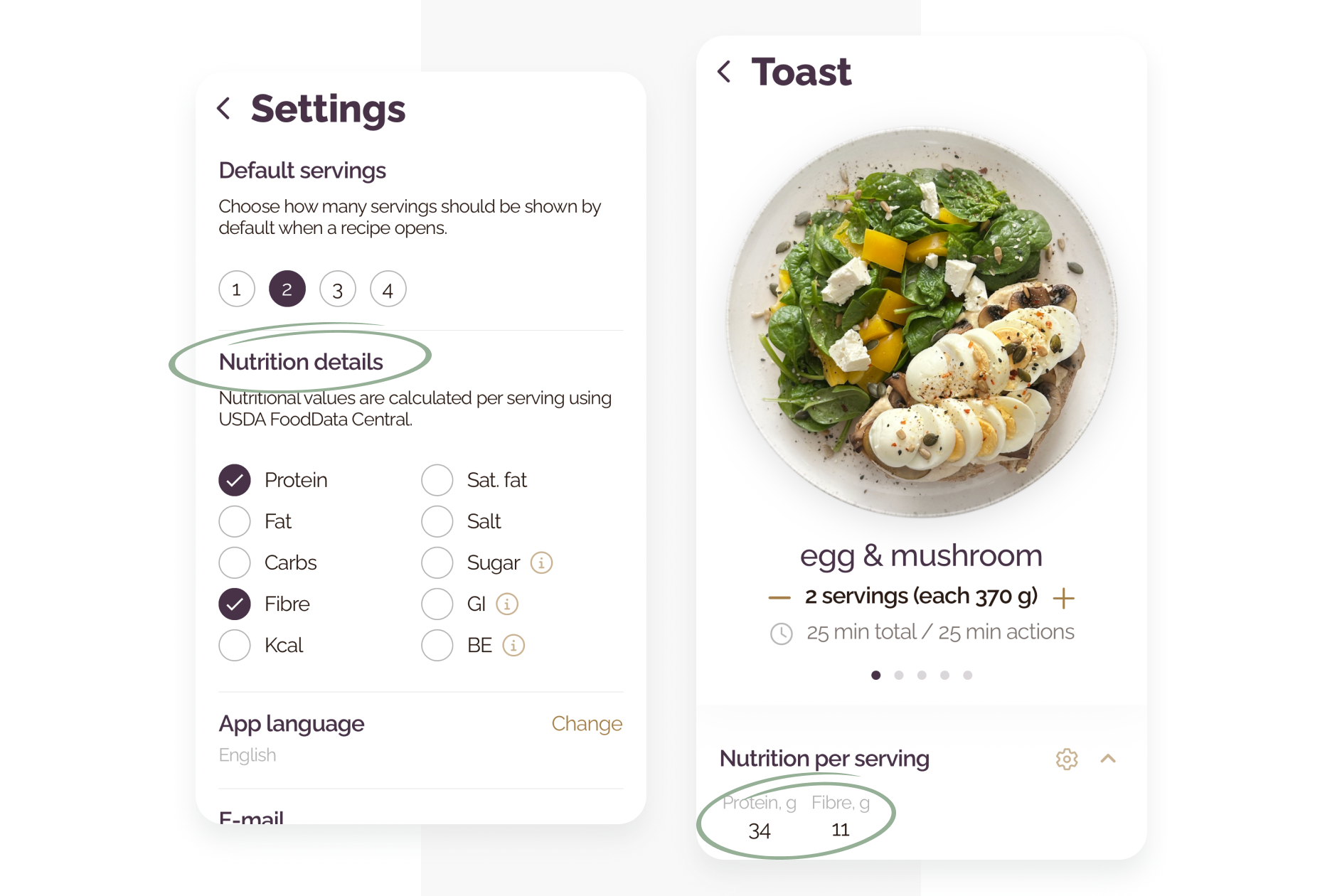
If you just want a good dinner in 20 minutes, you’ll never see a number. If you need them, you’ll see only the ones you picked.
To turn details on, open the Plezha app and go to Settings → Nutrition details. Switch on what helps you. Leave the rest off.
Disclaimer. This article was prepared with the participation of a qualified dietitian with formal academic training. It is intended to provide general information and does not constitute personalised medical or dietary advice. Nutrition metrics in the app are calculated for a single dish. If you have diabetes, another diagnosed medical condition, or concerns about your diet or health, please consult a qualified healthcare professional.